
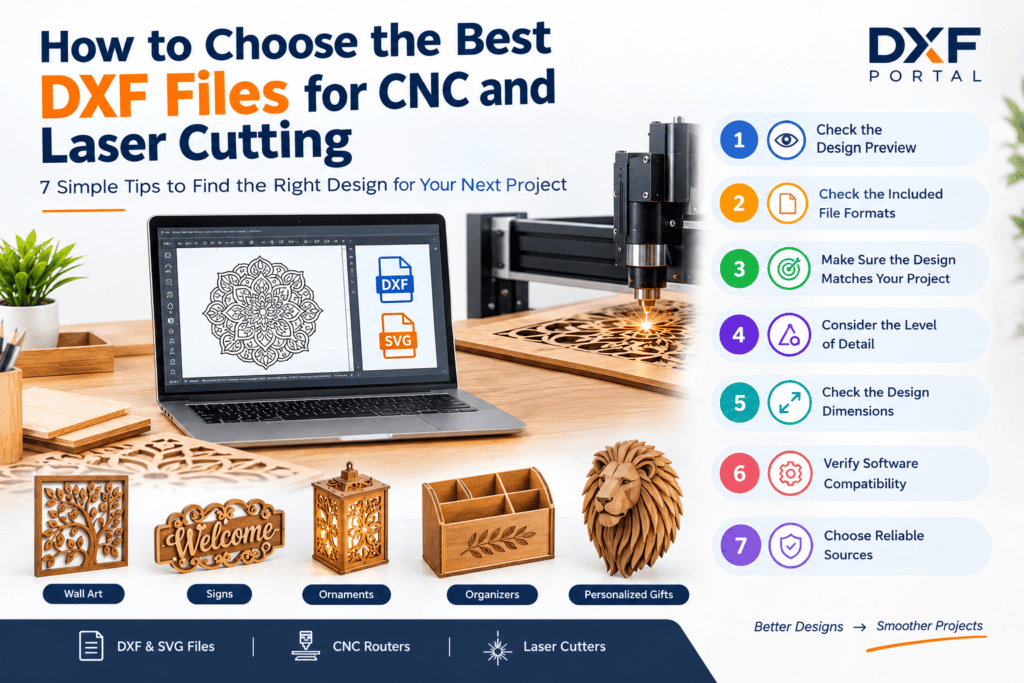
How to Choose the Best DXF Files for CNC and Laser Cutting
Choosing the best DXF files for CNC and laser cutting is an important step when preparing a digital design for your next project. A suitable DXF file can save preparation time, simplify editing, and provide a useful starting point for decorative and functional CNC or laser-cutting projects.
Whether you are creating wall art, signs, ornaments, organizers, personalized decorations, geometric patterns, or other creative projects, selecting the right digital design can make your workflow easier.
At DXF Portal, you can explore downloadable DXF and SVG designs for different CNC and laser cutting projects. Before downloading a design, it is helpful to understand what makes the best DXF files for CNC and laser cutting suitable for your particular project.
7 Tips for Choosing the Best DXF Files for CNC and Laser Cutting
Selecting the right digital design involves more than simply choosing a design that looks attractive. File format, geometry, dimensions, level of detail, and software compatibility can all affect how easily you can prepare the design.
Here are seven useful tips to help you choose the best DXF files for CNC and laser cutting.
1. Check the Design Preview
The design preview is one of the first things you should examine before downloading a DXF file.
A clear preview allows you to understand the overall appearance, structure, and important details of the design. Look for clean outlines, connected elements, balanced proportions, and a layout that matches your intended project.
A good preview can also help you identify whether the design contains very small details or complicated sections that may require additional editing.
Before choosing a design, compare the preview with your project requirements and make sure the overall style is suitable.
2. Check the Included File Formats
Different CNC and laser cutting workflows may use different digital file formats. DXF is commonly used for CAD and CNC applications, while SVG is widely used with vector-design software and many laser-cutting workflows.
Before downloading a digital design, check exactly which formats are included.
If your software requires a particular format, choosing a compatible file can help reduce unnecessary conversions and editing.
The best DXF files for CNC and laser cutting are those that provide a format suitable for your intended software and workflow.
3. Make Sure the Design Matches Your Project
Every project has different requirements. A decorative wall panel may need a different structure from a personalized sign, ornament, organizer, or layered design.
When looking for the best DXF files for CNC and laser cutting, consider:
- What type of project are you creating?
- What size should the finished design be?
- How detailed should the design be?
- Which software will you use?
- Which cutting process will you use?
- Will you need to customize the design?
- Does the design fit your intended application?
Choosing a design that matches your project from the beginning can reduce the amount of editing required later.
Best DXF Files for CNC and Laser Cutting Should Have Clean Geometry
Clean geometry is one of the most important characteristics of a useful digital cutting design.
Duplicate lines, overlapping objects, open paths, unnecessary elements, and complicated geometry can create additional work during preparation.
The best DXF files for CNC and laser cutting should have organized and understandable geometry that can be inspected in compatible CAD or vector-design software.
Before production, open the downloaded design in your preferred software and check the different elements. Look for unwanted lines, duplicate objects, gaps, or other issues that may affect your workflow.
Taking a few minutes to inspect the file can help prevent problems later.
4. Consider the Level of Detail
Detailed DXF designs can create impressive results, but more detail does not always mean a better design.
A design containing many tiny cutouts may require more careful preparation than a simple geometric pattern. Very small elements may also become difficult to work with when the design is reduced in size.
When choosing the best DXF files for CNC and laser cutting, consider whether the amount of detail is appropriate for the size and purpose of your project.
For example, a large decorative design may accommodate more intricate details than a small ornament or compact sign.
The goal is to choose a design that provides an attractive appearance while remaining practical for your intended project.
5. Check the Design Dimensions
Dimensions are another important factor when selecting a digital cutting file.
Before using a DXF design, check its original dimensions and compare them with the requirements of your project.
Many vector designs can be scaled, but changing the overall size does not automatically guarantee that every small feature will remain practical.
For example, reducing a highly detailed design to a very small size may make some elements difficult to work with.
Always review the dimensions and make appropriate adjustments in your software before beginning production.
6. Choose Designs That Are Easy to Customize
Many CNC and laser cutting projects require some level of customization.
You may want to add a name, change dimensions, modify a decorative element, combine multiple designs, or make other adjustments.
For this reason, editable vector geometry can be particularly useful.
The best DXF files for CNC and laser cutting provide a useful starting point that can be adjusted to meet your specific project requirements.
Before downloading a design, consider whether you are likely to need customization and choose a file that gives you enough flexibility for your intended workflow.
Check CNC and Laser Cutting Software Compatibility
Software compatibility is another important consideration when selecting a digital design.
Different CAD, vector-design, and machine-control programs may interpret files differently. A DXF file that opens correctly in one application may require adjustments in another.
Before using a file for production, open it in your preferred software and check:
- File dimensions
- Units
- Scale
- Line placement
- Closed and open paths
- Duplicate elements
- Overall geometry
Testing the design before production can help you identify compatibility or preparation issues early.
7. Review the Product Information Before Downloading
When searching for the best DXF files for CNC and laser cutting, always read the product information before downloading a design.
Check the available file formats, design preview, dimensions, included files, and any instructions provided with the digital product.
This is particularly important for downloadable designs because you receive the files electronically rather than as a physical product.
Understanding what is included in the download can help you choose a design that matches your project requirements.
Why Choosing the Right DXF File Matters
The right digital design can provide a convenient starting point for a CNC or laser cutting project.
Instead of creating every element from the beginning, you can start with an existing vector design and make appropriate adjustments according to your requirements.
A suitable file can also help you explore different creative possibilities. You can find designs for wall art, signs, ornaments, decorative patterns, organizers, personalized projects, and many other applications.
However, every digital file should still be inspected in your own software before production. Your machine, software, dimensions, cutting settings, and project requirements can all affect the final result.
How to Prepare a DXF File Before Cutting
After selecting a suitable digital design, take some time to inspect and prepare the file.
First, open the design in compatible CAD or vector-design software. Check the dimensions and confirm that the units and scale are correct.
Next, inspect the geometry for duplicate lines, unnecessary objects, open paths, or other elements that may need attention.
If customization is required, make your changes before exporting or sending the design to your production workflow.
For a more detailed explanation, read our guide on How to Prepare a DXF File for CNC Routing and Laser Cutting.
Where to Find Downloadable DXF Designs
There are many websites offering downloadable DXF and SVG designs for CNC and laser cutting projects.
When choosing a digital design website, look for clear product previews, useful descriptions, supported file formats, and information about what is included with each download.
DXF Portal provides downloadable digital designs for makers, designers, hobbyists, and CNC and laser cutting enthusiasts.
You can explore different design styles and choose files according to your project requirements.
Before completing a purchase, always review the product information and make sure the design is appropriate for your intended workflow.
Final Thoughts
Choosing the best DXF files for CNC and laser cutting starts with understanding your project requirements.
Before downloading a design, check the preview, file formats, dimensions, geometry, level of detail, and customization possibilities. These simple checks can help you select a digital design that is easier to prepare and better suited to your project.
After downloading the file, open it in your preferred software and inspect the geometry before production. Check the scale, dimensions, paths, and other important details to make sure everything is ready for your workflow.
With the right digital design and careful preparation, DXF files can provide a convenient starting point for a wide range of creative CNC and laser cutting projects.
Explore downloadable DXF and SVG designs at DXF Portal and find a digital design for your next project.