
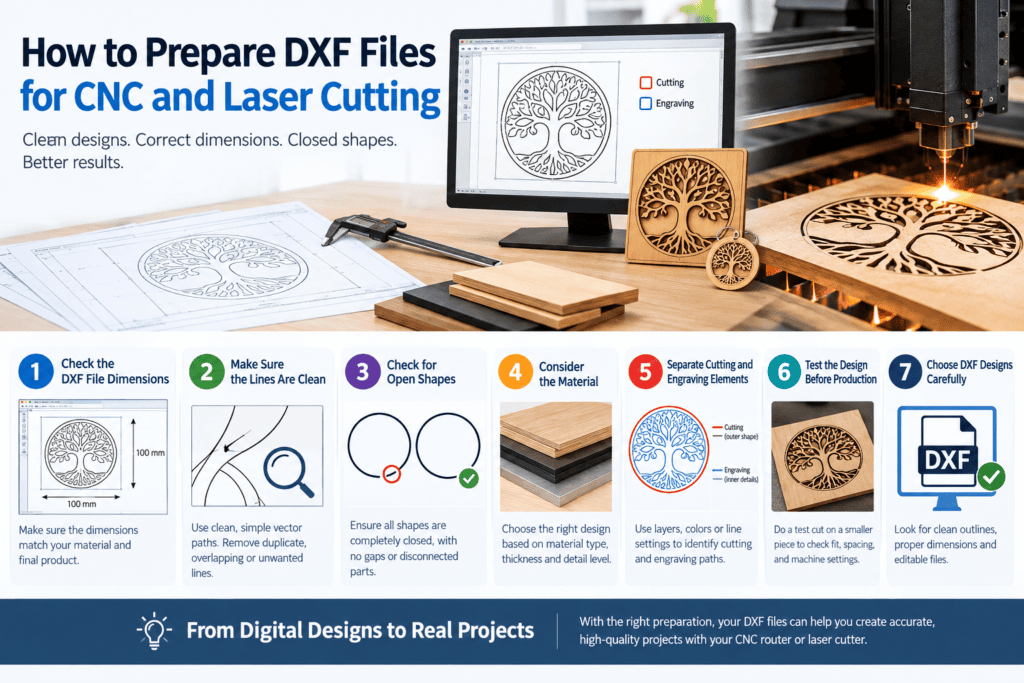
How to Prepare DXF Files for CNC and Laser Cutting
DXF files for CNC and laser cutting need to be prepared carefully before they are used for manufacturing. A properly prepared DXF design can help create accurate results when working with a CNC router or laser cutting machine. Clean lines, correct dimensions, closed shapes, and suitable design details are important when preparing a file for production.
DXF designs can be used to create many different products, including signs, wall decorations, ornaments, panels, templates, and personalized projects. Before sending a design to a CNC router or laser cutter, it is important to check the file and make sure it is suitable for the machine, material, and final project.
Check the DXF File Dimensions
When working with DXF files for CNC and laser cutting, always verify the dimensions before creating the final toolpath. One of the first things to check is the size of the DXF design. Make sure the dimensions of the design match the size of the material and the final product you want to create.
For example, a small DXF design for a keychain will require very different dimensions from a large wall decoration. Incorrect scaling can result in a product that is too large or too small.
Before cutting, open the DXF file in your CAD or CNC software and verify the measurements. If necessary, adjust the scale while maintaining the correct proportions of the design.
Make Sure the Lines Are Clean
Properly organized DXF files for CNC and laser cutting should contain clean and easy-to-follow vector paths. Clean vector lines are important for both CNC routing and laser cutting. The machine needs clear paths to follow when cutting or engraving the material.
Unnecessary duplicate lines, overlapping shapes, tiny unwanted details, or broken lines can create problems during the manufacturing process. They may cause a machine to repeat a cutting path or produce an unexpected result.
For this reason, it is useful to inspect the entire DXF design before importing it into your machine software.
Check for Open Shapes
Closed shapes are especially important for many cutting projects. If a shape that should be completely enclosed has a small gap, the software may not recognize it as a complete cutting area.
For example, a circular design should have a continuous outline. Similarly, letters, decorative patterns, signs, and layered designs should be checked for unwanted gaps or disconnected elements.
Taking a few minutes to inspect the design can help prevent problems when preparing the toolpaths or laser cutting paths.
Consider the Material
The material you choose can affect how DXF files for CNC and laser cutting should be prepared. The material you plan to cut should also influence how you prepare your DXF design.
Different materials have different thicknesses and manufacturing requirements. A detailed design that works well for a large sheet of plywood may not be suitable for a very small acrylic project.
When selecting a DXF file, consider the size of the design, the thickness of the material, and the level of detail. Very thin lines or small elements may require special attention depending on the machine and material being used.
Separate Cutting and Engraving Elements
Some CNC and laser cutting projects use both cutting and engraving. In these cases, it can be helpful to organize the different elements of the DXF design clearly.
For example, the outer boundary of a sign may be used for cutting, while text or decorative patterns inside the sign may be used for engraving.
Depending on the software and machine, different layers, colors, or line settings may be used to identify these operations. Always check the requirements of your specific CNC or laser cutting software before preparing the final file.
Test the Design Before Production
Before producing a large or expensive project, consider testing the DXF design on a smaller piece of material.
A test cut can help identify issues with dimensions, line placement, spacing, and machine settings. This can be particularly useful when working with a new design or unfamiliar material.
Testing can also help you determine whether small details are suitable for the selected material and machine.
Choose DXF Designs Carefully
Starting with a properly prepared DXF file can save time during the design and manufacturing process. When choosing a ready-made DXF design, look for files with clean outlines, suitable dimensions, and a structure that can be easily edited in compatible software.
At DXFPortal, you can explore a variety of digital DXF designs for CNC routing, laser cutting, decorative projects, signs, ornaments, and other creative applications. Choosing the right design for your machine and material can make project preparation easier.
Turn Digital Designs Into Real Projects
With properly prepared DXF files for CNC and laser cutting, makers can move from a digital design to a physical project more efficiently. DXF files provide a useful connection between digital design and physical manufacturing. Whether you are creating a personalized sign, decorative wall art, an ornament, a template, or another CNC project, preparing the design correctly is an important part of the process.
By checking dimensions, cleaning vector lines, verifying closed shapes, considering the material, and testing the design before production, you can prepare your DXF files more effectively for CNC and laser cutting projects.
Explore DXF designs at DXFPortal and find a suitable design for your next CNC or laser cutting project.