
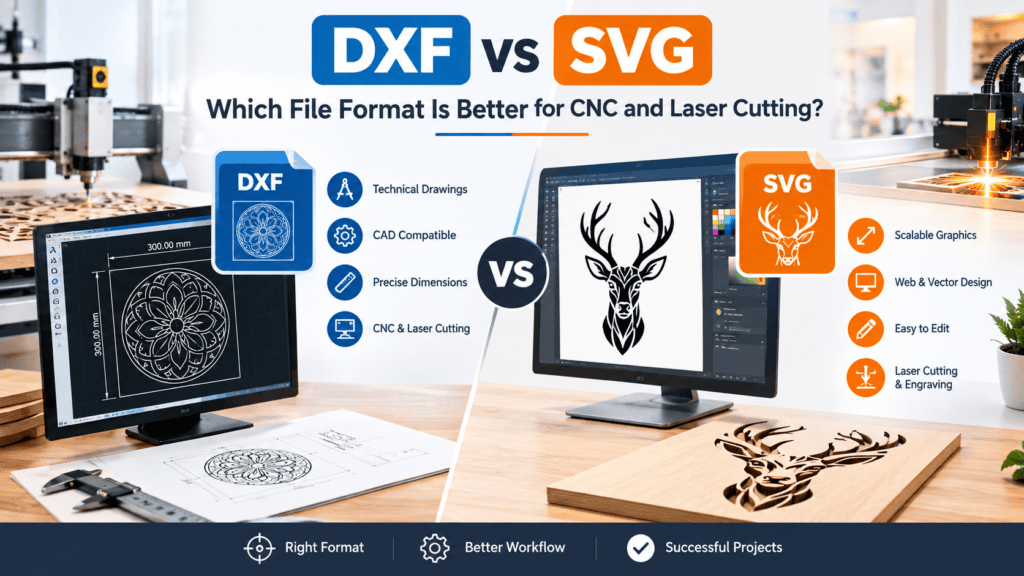
DXF vs SVG: Which File Format Is Better for CNC and Laser Cutting?
Choosing the correct file format is an important part of any CNC routing or laser cutting project. Two of the most commonly used formats for digital designs are DXF and SVG. Both formats support vector-based artwork and are widely used for creating designs, patterns, signs, decorative products, and custom manufacturing projects.
When comparing DXF vs SVG, it is important to understand that these formats are designed for different purposes and may behave differently depending on the software and machine being used.
Whether you are a beginner exploring laser cutting or an experienced designer preparing CNC files, understanding the differences between DXF and SVG can help you select the right format for your project.
In this guide, we will explain what DXF and SVG files are, their main differences, their advantages, and how to choose the right format for your manufacturing requirements.
DXF vs SVG: Understanding the Main Differences
The DXF vs SVG comparison becomes easier when you understand how each format handles vector information. DXF is commonly associated with technical CAD drawings, while SVG is widely used for scalable graphics and creative designs.
Both formats can be used in cutting workflows, provided the geometry is compatible with the selected software.
What Is a DXF File?
DXF stands for Drawing Exchange Format. It is a vector-based file format developed by Autodesk to help different CAD applications exchange technical drawings.
DXF files are commonly used in engineering, architecture, CNC machining, laser cutting, and technical design. They can contain lines, arcs, circles, polylines, and other geometric information that can be used to create manufacturing paths.
One of the main advantages of DXF files is their compatibility with many CAD and CNC applications. Designers can create precise technical drawings and transfer them between supported software programs.
Common Uses of DXF Files:
-
CNC routing and milling
-
Laser cutting and engraving
-
Technical and mechanical drawings
-
Furniture and cabinet design
-
Metal and wood cutting patterns
-
Decorative wall art and custom signs
If you want to understand this format in more detail, read our guide on What Are DXF Files? A Complete Guide for CNC and Laser Cutting.
What Is an SVG File?
SVG stands for Scalable Vector Graphics. It is an XML-based vector image format commonly used for web graphics, illustrations, logos, icons, and digital designs.
Unlike raster image formats such as JPG and PNG, SVG graphics can be resized without losing their vector-based shape quality.
SVG files are also commonly supported by laser cutting software and design applications. They can contain paths, shapes, text, and other vector elements that may be used for cutting and engraving.
Common Uses of SVG Files:
-
Laser cutting and engraving
-
Logos and branding designs
-
Decorative artwork
-
Sign making
-
Cricut and vinyl cutting projects
-
Web graphics and illustrations
SVG is especially useful for designs that need to be displayed or scaled across different digital applications.
DXF vs SVG: 7 Key Differences
Although DXF and SVG are both vector-based formats, they have several differences that affect how they are created, edited, and used.
1. Main Purpose
DXF is primarily designed for exchanging technical drawings between CAD applications. It is commonly used in engineering and manufacturing workflows.
SVG is primarily designed for scalable graphics and illustrations. It is commonly used in digital design, web graphics, and creative cutting projects.
2. Design Precision
DXF files are commonly used for dimension-based technical drawings. They can represent precise geometric objects such as lines, arcs, and circles.
SVG files also support vector geometry, but their typical use is more focused on scalable graphic design and illustrations.
Both formats can be suitable for manufacturing when the drawing is correctly prepared and the software interprets its geometry properly.
3. Software Compatibility
DXF is supported by many CAD programs and CNC-related applications. It is commonly used when transferring technical drawings between different design environments.
SVG is supported by many graphic design programs, web browsers, and laser cutting applications.
The correct choice depends on the software used to create, edit, and process the design.
4. File Structure
DXF files store drawing information using a structured CAD format. Depending on the DXF version, they can contain different geometric and technical entities.
SVG files use XML-based markup to describe vector shapes, paths, text, and other graphical elements.
This difference affects how each format is edited and interpreted by different applications.
5. CNC Routing and Laser Cutting
DXF is widely used in CNC routing because it is suitable for transferring geometric drawings and manufacturing layouts.
SVG is also frequently used for laser cutting, especially for decorative patterns, signs, artwork, and creative projects.
However, neither format automatically guarantees a machine-ready design. Both should be checked for correct dimensions, closed paths where required, and compatible geometry before manufacturing.
6. Editing and Design Workflow
DXF files are generally edited in CAD software, where users can work with dimensions, geometric objects, and technical drawings.
SVG files are often edited in vector graphics applications, where users can create illustrations, decorative shapes, and scalable artwork.
The best editing environment depends on the type of project you are creating.
7. File Conversion
DXF and SVG files can often be converted from one format to the other using compatible CAD or vector design software.
However, conversion does not always preserve every element perfectly. Text, curves, dimensions, layers, and other objects may change depending on the software and export settings.
Always open the converted file and inspect its geometry before sending it to a cutting machine.
DXF vs SVG: Comparison Table
| Feature | DXF | SVG |
|---|---|---|
| Full Form | Drawing Exchange Format | Scalable Vector Graphics |
| Main Purpose | CAD and technical drawings | Vector graphics and illustrations |
| Common Applications | CNC and CAD software | Graphic and cutting software |
| Geometry | Technical drawing entities | Vector paths and shapes |
| Scalability | Depends on drawing units and application settings | Scales without losing vector quality |
| Editing | CAD applications | Vector graphics applications |
| Manufacturing Use | CNC routing and laser cutting | Laser cutting and engraving |
Which Format Should You Choose?
Before deciding between DXF vs SVG, consider the type of design you want to create, the cutting machine you use, and the software available to you. A format that works perfectly in one application may require adjustments when imported into another.
Choose DXF when:
-
You are working with technical or mechanical drawings.
-
Your CNC software requires or supports DXF files.
-
You need dimension-based geometric designs.
-
You are preparing manufacturing layouts.
Choose SVG when:
-
You are creating decorative vector artwork.
-
You are working with logos, signs, and illustrations.
-
Your laser cutting software supports SVG.
-
You need scalable graphics for different design applications.
Before selecting a format, check your machine and software documentation to confirm which file types are supported.
Tips for Preparing DXF and SVG Files for Cutting
Regardless of the format you choose, proper file preparation is essential for successful manufacturing.
Here are some useful tips:
-
Check the dimensions: Verify the measurements before importing the file.
-
Remove duplicate lines: Make sure unnecessary overlapping objects are removed.
-
Close cutting shapes: Ensure required cutting paths are properly connected.
-
Convert text into outlines: Convert text into paths when necessary for compatibility.
-
Remove unsupported objects: Check for elements that your software cannot process.
-
Check material thickness: Consider your material and machine capabilities.
-
Preview the cutting paths: Review the cutting process before starting production.
Following these steps can help reduce avoidable errors and improve the quality of your finished products.
For additional preparation guidance, read our article on How to Prepare a DXF File for CNC Routing and Laser Cutting.
You can also explore our guide on 7 Common DXF File Problems and How to Fix Them to learn how to identify and correct common design errors.
Frequently Asked Questions About DXF vs SVG
Is DXF better than SVG for CNC cutting?
DXF is commonly used for CNC applications because it supports technical drawing geometry. However, the suitable format depends on the CNC software and machine requirements.
Can SVG files be used for laser cutting?
Yes. Many laser cutting applications support SVG files for decorative patterns, signs, illustrations, and other vector designs.
Can I convert DXF to SVG?
Yes. Compatible CAD and vector design programs can convert DXF files into SVG format. Always inspect the converted design to ensure that dimensions and paths remain correct.
Which format should beginners learn first?
Beginners can learn either format depending on their interests. DXF is useful for technical drawings, while SVG is useful for vector illustrations and creative designs.
Can both DXF and SVG files be used for laser cutting?
Yes. Both formats can be used for laser cutting when supported by the software and properly prepared for the machine.
Explore DXF Designs at DXFPortal
Finding suitable vector designs can make CNC routing and laser cutting projects easier to plan and complete.
At DXFPortal, you can explore digital designs for decorative wall art, signs, organizers, ornaments, and other creative projects. These designs are intended for digital manufacturing workflows and can help you discover new ideas for your next project.
Before using any design, always check its available file formats, dimensions, and compatibility with your machine and software.
Final Thoughts
When comparing DXF vs SVG, there is no single format that is suitable for every project. DXF is commonly used for technical drawings and CAD-based manufacturing workflows, while SVG is widely used for scalable graphics, illustrations, and creative cutting designs.
Both formats can be useful for CNC routing and laser cutting when they are prepared correctly. Understanding their differences will help you select a suitable format, avoid compatibility issues, and prepare your designs more efficiently.
Always consider your machine requirements, software compatibility, and project specifications before choosing between DXF and SVG.